
A digital showroom looks like a website. It is not built like one.
A website is a stack of pages. Copy, images, navigation, launch. You can ship a decent marketing site in a long weekend.
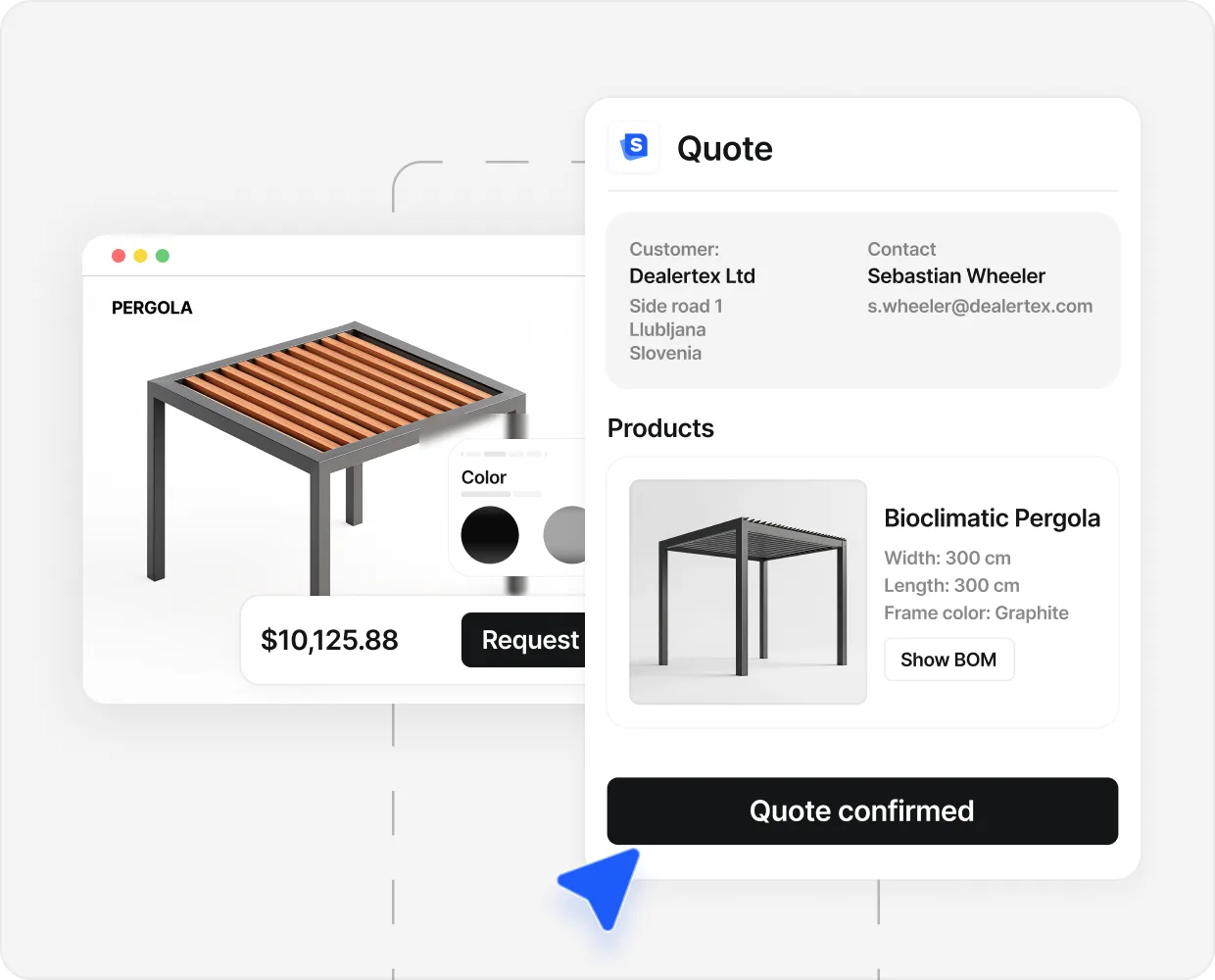
A showroom carries product data, configuration rules, real prices, a 3D model that has to run on a phone at a bus stop, a PDF generator, a CRM webhook, and an ad pixel that has to fire at the right moment or the marketing spend goes blind.
We thought the 3D was the hard part. The 3D was the easy part. The hard part was deciding which roof types are allowed at which post height and how the dealer markup carries through.
Most first attempts fail the same way. A beautiful 3D viewer with no price, so the buyer plays for two minutes and leaves. Or a perfect pricing engine nobody reaches. Or the whole thing built with no pixel, so the campaign feeding it cannot tell whether it works.
The 8 components, in build order#
Skip number 1 and number 4 has nothing to render. Skip number 2 and number 3 prices builds you cannot make.
1) Product catalog#
Your real SKUs, not a stock library of generic models.
The showroom needs the same starting data as your warehouse: every product line, with real codes, real material options, real size envelopes, real lead times. Sell three pergola ranges and a glass roof, and the showroom carries four real lines, not four demo placeholders from the vendor’s library.
Two decisions live here. Which lines go on the shelf in v1 (start with the two highest-volume ones), and which options stay off the public showroom entirely (anything needing a structural engineer sits behind a “request a custom build” flow).
Get this wrong and everything downstream drifts. Spend the week here.
2) Configuration rules#
What the buyer can change, and which combinations are valid.
Nobody sees the rules engine and everybody feels it. Which roof works with which post height. Which screen colour is allowed on anthracite. Which span needs reinforcement. Which accessory cannot ship with which beam.
This is the only part of the build that is genuinely yours. A 3D vendor can ship a pergola model in a day. They cannot tell you your louvred roof needs a corner post at 4.5 metres. That comes out of the production manager’s head.
Weak rules mean the showroom prices builds the install crew refuses on day one. A rule that fires “this needs an engineer” at the span limit saves three calls and a site survey per fifty configurations.
3) Pricing engine#
A real number, in the buyer’s currency, from your real cost rules.
This is where cheap showrooms quietly give up and hand the work back to your rep. “Starting from” is not a pricing engine. A real one applies the BOM, the labour, the regional modifier, the dealer margin and the tax, and returns a number you can defend.
Three patterns to plan for. Dealer markup, where each dealer site carries its own multiplier. Regional modifiers, because the same build costs more in Boca Raton than Bratislava. And a discount lever, so a rep can override the public number on the PDF.
Without it you have a 3D viewer. Buyers can play, but they cannot decide. A decision needs a number.
4) 3D model and rendering#
Parametric, mobile-first, tied to the catalog from step 1.
Parametric means the model rebuilds when a value changes. Width 3 metres to 4, and the post count and beam span recalculate. Louvred to fabric, and the framing redraws. One model per preset is a slideshow, not a configurator.
Mobile-first means it stays smooth on a 4G handset. The technology is WebGL, mature since about 2017 and native in every phone browser. The work is model weight, texture sizes and load order. A good engineer holds a parametric pergola under 3 megabytes and first paint under 2 seconds.
This is the part marketing asks about most. Resist starting here. Without the catalog, rules and pricing, a beautiful model renders nothing the buyer can act on.

5) Intent capture#
The 3 to 5 questions that qualify the buyer without breaking the flow.
Ask everything (postcode, budget, timeline, decision-maker, finance) and the buyer leaves before the PDF. Ask nothing and the sales team gets configured quotes from the wrong country and the wrong budget.
Pick only the questions that change how the rep runs the call. Region, because it changes install economics. Timeline, because it picks the queue. Project status, because a planning-stage homeowner is not a contractor with permission in hand. Budget only if your average sale varies by more than 3x.
Put it between the configuration and the PDF. The buyer earns the right to be asked by spending five minutes designing. Ask first and you lose them.
6) PDF output#
The priced spec that becomes the first call.
The PDF is the moat. Two days later a slower competitor emails a handwritten quote, and the buyer already has a designed document with your logo, your spec, your price and your lead time on it.
A serious one carries the configuration line by line, the render, the priced totals, the lead time, the next step, and a link back into the configuration so the buyer can adjust without starting over.
Match your brochure exactly. This is the first piece of brand the buyer takes home. A configurator that emails a screenshot is not a configurator.
7) Analytics and ad pixel#
GA4, Meta CAPI and Google Ads, wired to the same five events.
Without this the showroom is invisible to your budget. Ads drive traffic, traffic configures, and the dashboard shows a click-through rate and then a black hole.
Five events from day one: configurator_started on first interaction, configurator_priced when a complete spec resolves, lead_submitted on intent capture, pdf_downloaded on generation, and submitted_high_intent server-side for a complete spec above median session time.
Server-side matters because iOS attribution eats client-side pixels. Browser-only events undercount iOS conversions by 30 to 50 percent, and the ad algorithm reads that as a cheap audience.
8) CRM webhook#
Where the lead lands, shaped so the rep can act inside 60 seconds.
On submit, the configurator fires a payload carrying the configuration, the priced spec, the intent answers, the UTM source, the country, and links to the PDF and the live configuration. The CRM creates the deal, assigns the rep and timestamps it.
Three patterns: a direct webhook to a native API (HubSpot, Pipedrive, Salesforce), an iPaaS bridge (Zapier, Make, n8n) for older systems, or a file drop for dealer networks running their own back office.
Without it, the rep re-keys the spec by hand and misses the follow-up window. With it, they open the pipeline and start the call with “I see you configured a 4 by 5 metre louvred build on Wednesday.”
Build, buy, or template#
Three paths. The math decides, not the marketing on a vendor’s homepage.
- 1 day Premade template Existing category model, your products mapped on top, live on a public URL. The standard build. Custom premade builds extend to about 5 to 10 days when a brand needs bespoke styling or rule edits.
- 4-6 mo Custom freelancer 30,000 to 60,000 dollars typical, plus monthly maintenance. The vendor learns your category on your dime; the showroom ships when their backlog clears. Most miss the first launch date.
- 12-24 mo In-house build Around 150,000 euros of engineering time before first buyer. Requires a 3D engineer, a CRM engineer, a pricing engineer, a DevOps engineer, and a product manager who can hold all four in their head.
- €20K-50K Generic 3D vendor Configure One, Threekit, and similar generalist 3D platforms charge this for the setup that adapts their engine to your category, then monthly on top.
Pricing ranges drawn from typical market quotes for outdoor living configurator builds in 2025 to 2026.
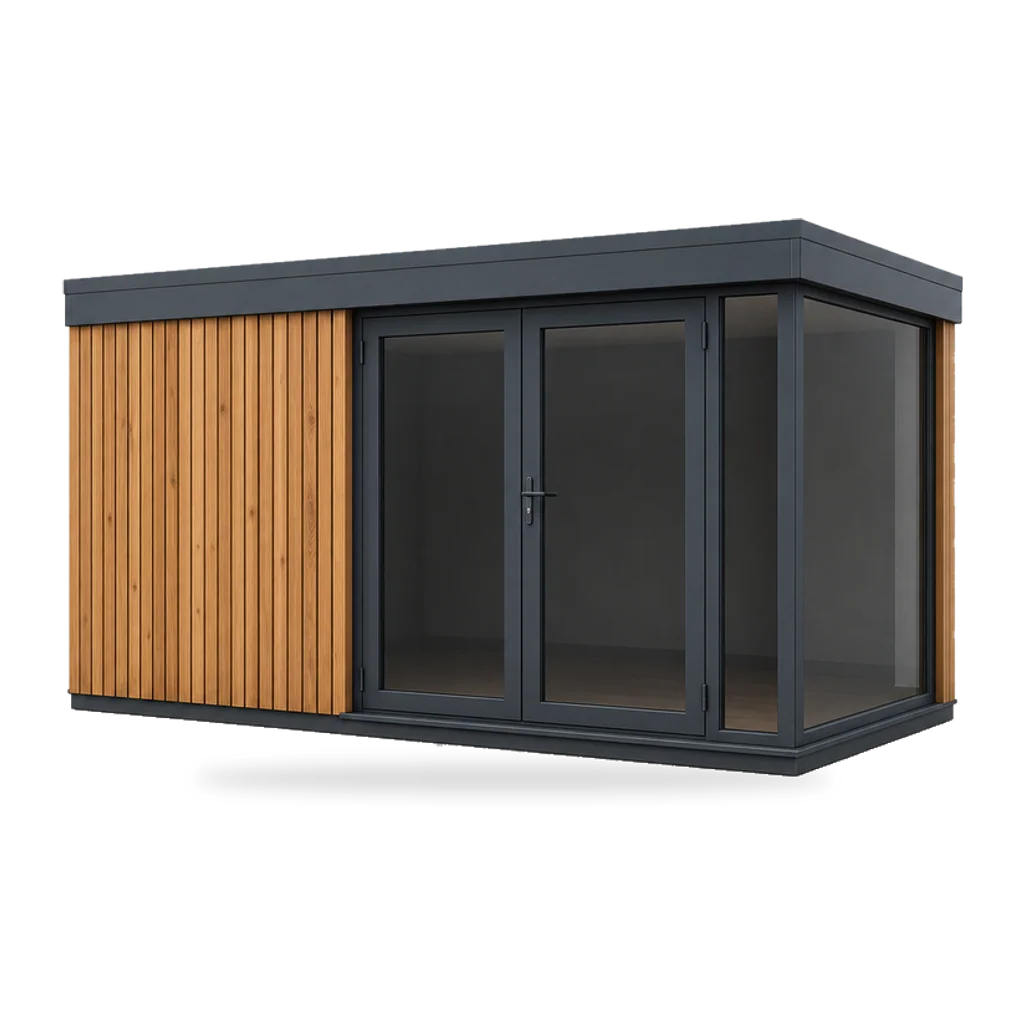
Premade works when your category has a known template: pergola, veranda, garden room, awning, carport, sauna, modular cabin. The model, the rule library and the pricing patterns already exist, and your products map on top. Implementation went from about 6 months in 2022 to about a day, which is the biggest cost shift the category has seen.
Custom freelancer is right only when your product has no cousin. A bespoke industrial machine, a specialised lab instrument. If a premade exists for your line, paying 30,000 to 60,000 dollars to rebuild it is paying twice.
In-house is rarely right. The honest case is when the configurator itself is your product. Otherwise it is 150,000 euros and a year not spent on the parts of the business that compound.
Generic 3D vendors demo well, because their engine renders anything. They fall apart in month two, when your team is teaching them what a louvred roof is and why a 4.5-metre post is not optional. The bill arrives anyway.
What to cut from v1#
Ship the spine. Resist the rest until buyers are using it.
The honest answer to “what do we cut to ship faster” is usually everything added in the third planning meeting. The first meeting picked the spine. The second found real edge cases. The third started decorating.
Mobile is not a checkbox#
Over half of outdoor living traffic is on a phone. A showroom that loads in 800 milliseconds on fibre and 8 seconds on tired 4G is, for the median buyer, an 8-second showroom.
Test on what buyers actually use. A mid-tier Android, not the newest iPhone. A real 4G signal, not the developer’s home Wi-Fi. And a real ad flow, arriving from a tracked URL with the product preselected.
Three numbers to hold the build to:
- First paint under 2 seconds on a median 4G phone.
- First interaction (rotate, resize, change a value) under 4 seconds.
- A full configuration with a render and a price under 6 minutes.
If a vendor demos only on desktop or on their own Wi-Fi, ask them to open it on your phone, on your data, before you sign. That one check has killed more bad vendor decisions than any other.
How you know it is working#
Four numbers. Track weekly, judge quarterly.
Engagement rate. Sessions that touch the model, over sessions that land on the page. Healthy is 25 to 45 percent. Below 20, the page is not framing it well.
Configured-to-PDF rate. Complete configurations with a priced PDF, over sessions that engaged. Target 30 to 50 percent. Below 25, something in the flow is breaking: length, pricing edge cases, or intent capture asking too much.
Lead quality. A composite of configuration time, intent answers, region match and price band. It should rise each quarter as the rule library tunes. If it does not, the traffic mix is wrong.
Cost per qualified lead. The only number here that touches the P&L. Outdoor living baselines run 100 to 300 dollars. After 90 days, showrooms commonly cut that by half or more, because the configurator filters volume before the rep sees it.
Read them together. Great engagement with poor lead quality is a marketing problem. Great quality with a low PDF rate is a build problem.
Ship the spine, instrument it, watch the four numbers, tune the rules.
If the next decision is which vendor rather than which architecture, the gallery shows live category templates, and what a digital showroom is sits one step before this guide.
People also ask.
How long does it take to build a digital showroom?
A premade build on a known category goes live in about a day, or 5 to 10 days with custom styling and rule edits. A generic 3D vendor with no template quotes 3 to 6 months. A full in-house build runs 1 to 2 years.
How do I link the showroom to my website pages?
Two patterns. Deep link, where each product page has a CTA that opens the showroom with that product preselected. Or embed it inline on the product page. Either way, fire the same events and send the same CRM payload.
Does it replace my sales team?
No, and a vendor pitching it that way is selling the wrong thing. It does the spec work and starts the conversation. The close still happens between two people, especially above 15,000 euros.
What tracking does it need?
GA4 with custom events on enter, configure, price, submit and download. The same events server-side to Meta and Google Ads, so iOS attribution does not eat them. UTMs passed through to the CRM payload.
Can one showroom serve multiple dealers?
Yes. Manufacturers run one parent showroom across 20 to 100 dealer sites, each in the dealer's branding, with central reporting. The buyer configures on the dealer's site and the dealer closes.