
Free pergola design software: a homeowner's sketchpad, not a buyer's quote
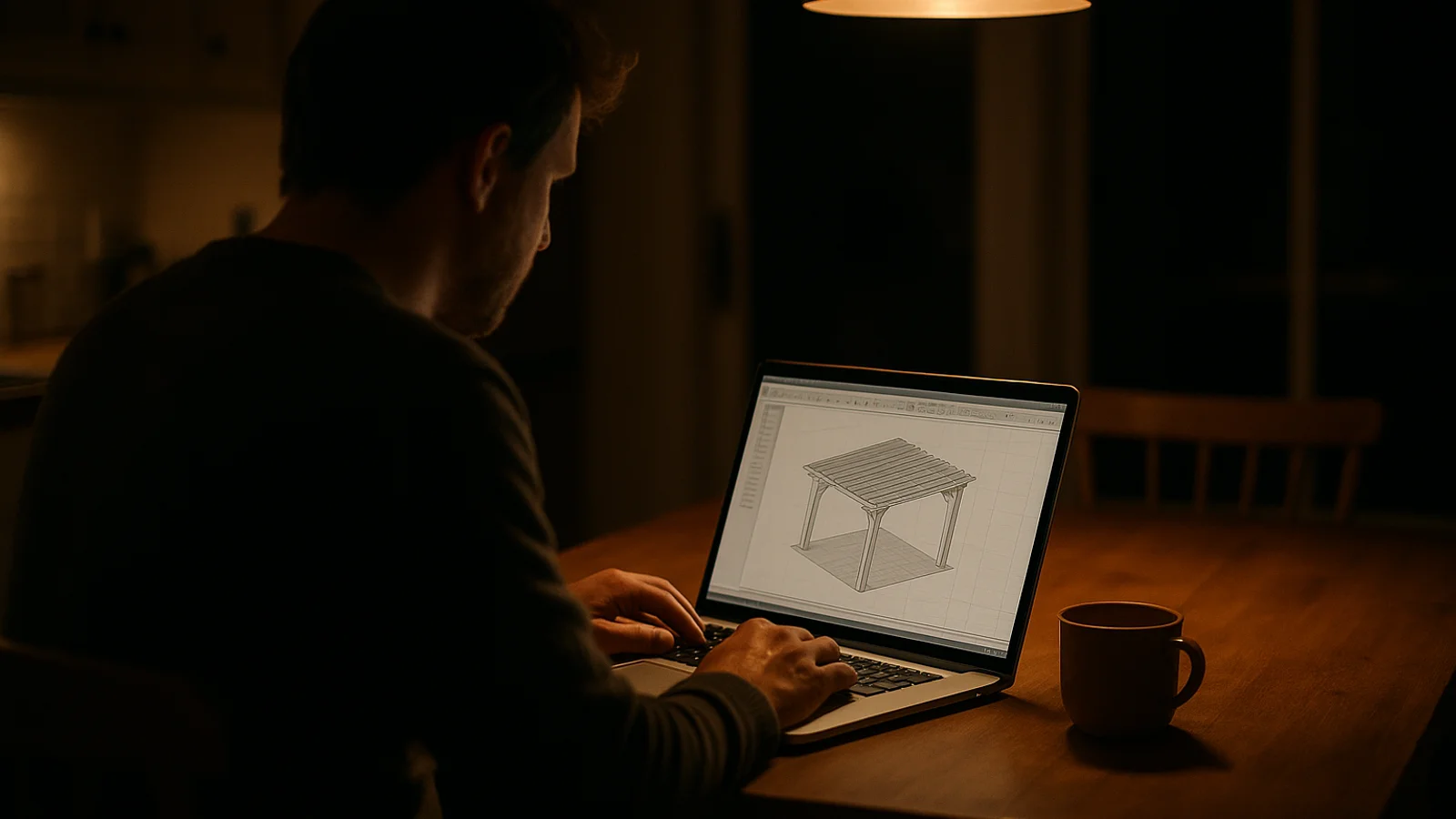
It is 11pm on a Tuesday in May. A homeowner with a flat back garden in Surrey, or Hamburg, or Calgary, has three browser tabs open. The first is SketchUp Free. The second is a YouTube tutorial titled “How to design a pergola in SketchUp in 10 minutes” that turns out to be 47 minutes long. The third is a contact form on a UK pergola seller’s website asking for first name, last name, email, phone number, postcode, project budget range, and a free-text description of the project. The homeowner has typed three sentences into the free-text box. The cursor is blinking in the phone-number field. They do not want to put in their phone number. They have been on this exact sequence of tabs for two hours.
By 1am, the SketchUp window has a rough louvred pergola drawn over a flat rectangle that is supposed to be the patio. The roof is slightly the wrong angle. The dimensions are not real because the homeowner has not measured the patio yet. The contact form is still untouched. The homeowner closes the laptop. The seller will never know that buyer existed. By Saturday, the pergola project has moved one square down the kitchen calendar with no decision made.
This post is what “free pergola design software” actually is, what it does well for the very narrow audience it serves, and what it cannot do for the much larger audience that searches for it. If you are a homeowner, the second half tells you what to look for when you are ready to stop sketching and start buying. If you are an outdoor living seller, the second half is about the buyer you are losing every Tuesday night to a tool that was never trying to send you a lead in the first place.
What free pergola design software is#
The phrase “free pergola design software” covers a surprisingly wide set of tools that do roughly the same thing in slightly different ways. They take a flat area, let the user draw a structure on top, and render the result in 2D or 3D so the user can see it from a couple of angles before saving the file.
The common entries in the category, in rough order of how often they show up in homeowner searches.
SketchUp Free. The browser-based version of the long-running 3D modelling tool. Powerful, well-documented, and genuinely good at what it does. Used by professional landscape architects on paid plans and by determined DIY homeowners on the free tier. The free tier saves files to a Trimble cloud account, exports limited file formats, and has no plugin support. There are excellent free pergola templates available, some of which the homeowner will find on the seventh search result page. None of them connect to a buyable product. (Official tool here.)
Planner 5D and HomeStyler. Browser-based room-and-garden planners aimed at homeowners doing interior renovations. Both have outdoor sections with parametric pergola objects the user can drop in. The free tier saves a couple of projects, watermarks exports, and gates the higher-resolution renders behind a paid plan. The pergola objects look generic because they are generic; they are not modelled after any specific seller’s product line.
IKEA Home Planner and ROOMVO room visualisers. Aimed at picking furniture or surface finishes inside a known room, then extending into the garden. The IKEA tool ties to IKEA’s own catalogue, which has no proper aluminium louvred pergolas. ROOMVO ties to whoever has paid for a brand instance, which in pergolas is roughly nobody.
Google Drawings, draw.io, and the generic 2D family. The escape hatch for the homeowner who has given up on 3D and is sketching a top-down floor plan with rectangles and arrows. Useful for thinking through the patio layout. Not a pergola design tool by any real definition; just the closest free thing the homeowner can find.
The long tail. Mobile apps that promise “free pergola design” in the App Store, browser extensions, AI-generated landing pages on freemium SaaS, and a long list of pergola-manufacturer “design tools” that turn out to be glorified contact forms in disguise.
Each of those tools is good at the job it was built for. SketchUp is a serious modelling tool for people who can invest the hours. Planner 5D is a useful sketchpad for a homeowner deciding whether a sunken patio fits the back garden. IKEA’s planner works exactly the way it is supposed to work, for the products IKEA actually sells. The category problem is not that the tools are bad. It is that they are answering a different question than the homeowner searching “free pergola design software” actually has in their head.
What the homeowner is searching for#
The homeowner who types “free pergola design software” into Google at 11pm is not, in the main, looking for a CAD package. They are looking for an answer to a question they have been carrying around for two months. The question goes something like: what would a pergola look like in my back garden, what would it cost, and is anyone going to install it next month or do I have to wait six.
The free tool answers the first part of the first question. It renders something pergola-shaped. The model does not match the homeowner’s actual garden because the homeowner has not measured the garden. The model is generic louvred-looking because the tool does not know whose product to render. The model has no price next to it because there is no seller in the tool. The model has no contractor in the system because nobody is on the other end. After two hours, the homeowner has a slightly-wrong 3D sketch of a pergola, no price, no install timeline, and no idea whether the local outdoor living dealer 12 minutes down the road builds the thing they have just designed.
What the homeowner actually wanted to walk away from that session with is a sentence they can say to their spouse at breakfast on Saturday morning. The sentence is: I have picked the pergola we want, it costs about twelve thousand pounds installed, and the dealer can come out next Thursday to measure. The free tool cannot produce that sentence. It was never trying to.
I spent the whole of a wet weekend in March on SketchUp Free trying to design our pergola. By Sunday night I had a sketch I did not trust, no price, and the same list of three dealers to ring on Monday. The whole exercise had not moved the project forward by a millimetre.
This is the gap between the homeowner’s stated search (“free pergola design software”) and the homeowner’s underlying job (“decide on the pergola I am going to buy, this month, from a real seller”). Free tools serve the search. Configurators on real sellers’ websites serve the job. The reason the free-tool category exists at all is that until recently most outdoor living sellers refused to do the job, and the homeowner was left to improvise with whatever sketching tool Google offered.
What free tools can do#
Honest assessment, against the audience the tools were actually designed for.
Conceptual mood-boarding. A homeowner who is not sure whether they want a pergola, a gazebo, or a glass veranda can sketch all three in a free tool in an evening and pick the silhouette they like. This is real value. The tool will not produce a buyable product, but it will produce a decision about category.
Sharing a rough idea with a partner. A 3D sketch the homeowner can rotate on a tablet at the kitchen table on a Sunday morning is more useful than a Pinterest board for getting two people to agree on the shape of the thing.
Pre-call homework. A homeowner who has already booked a measure-up visit from a local dealer can use a free tool to sketch the patio layout in advance, which makes the in-person conversation 20 minutes faster. This is useful for the seller too, even though the seller never sees the sketch directly.
Pure learning. Some homeowners enjoy the modelling itself. They are not actually trying to buy a pergola tonight. They are interested in how the shape resolves in 3D, the same way some people enjoy laying out a kitchen on graph paper without ever building it. The free tool is a hobby; the purchase, if it ever comes, is months away.
For the four use cases above, the free tools work well. The homeowner gets the result they wanted, the tools cost nothing, and the design is a useful artefact in its own right.
What free tools cannot do#
The list of jobs a free tool cannot do is the list of jobs that distinguish a homeowner who is thinking about a pergola from a homeowner who is ready to buy one. Each of these is a hard absence, not a soft limitation.
Produce a real priced quote. The free tool can render the pergola. It cannot tell the homeowner what a 4 by 5 metre aluminium louvred pergola in anthracite, with motorised side screens and integrated LED lighting, actually costs from the dealer that builds them locally. The dealer’s price depends on the dealer’s catalogue, the dealer’s regional install rate, the dealer’s current lead-time, the dealer’s installer travel surcharge if the homeowner is outside the standard service area, and a list of small modifiers the homeowner has no way to know. The free tool has none of that information. It cannot have it; it has no concept of a seller.
Attach to a real seller’s product range. The pergola the homeowner sketches in a free tool does not exist as a product anywhere. The roof slat angle, the post diameter, the corner detail, the screen rail mount, and the LED channel are all approximations. The dealer the homeowner eventually rings cannot build the sketched thing exactly, because the sketched thing is not real. The conversation has to start over, which is the conversation the homeowner was trying to avoid by spending an evening sketching in the first place.
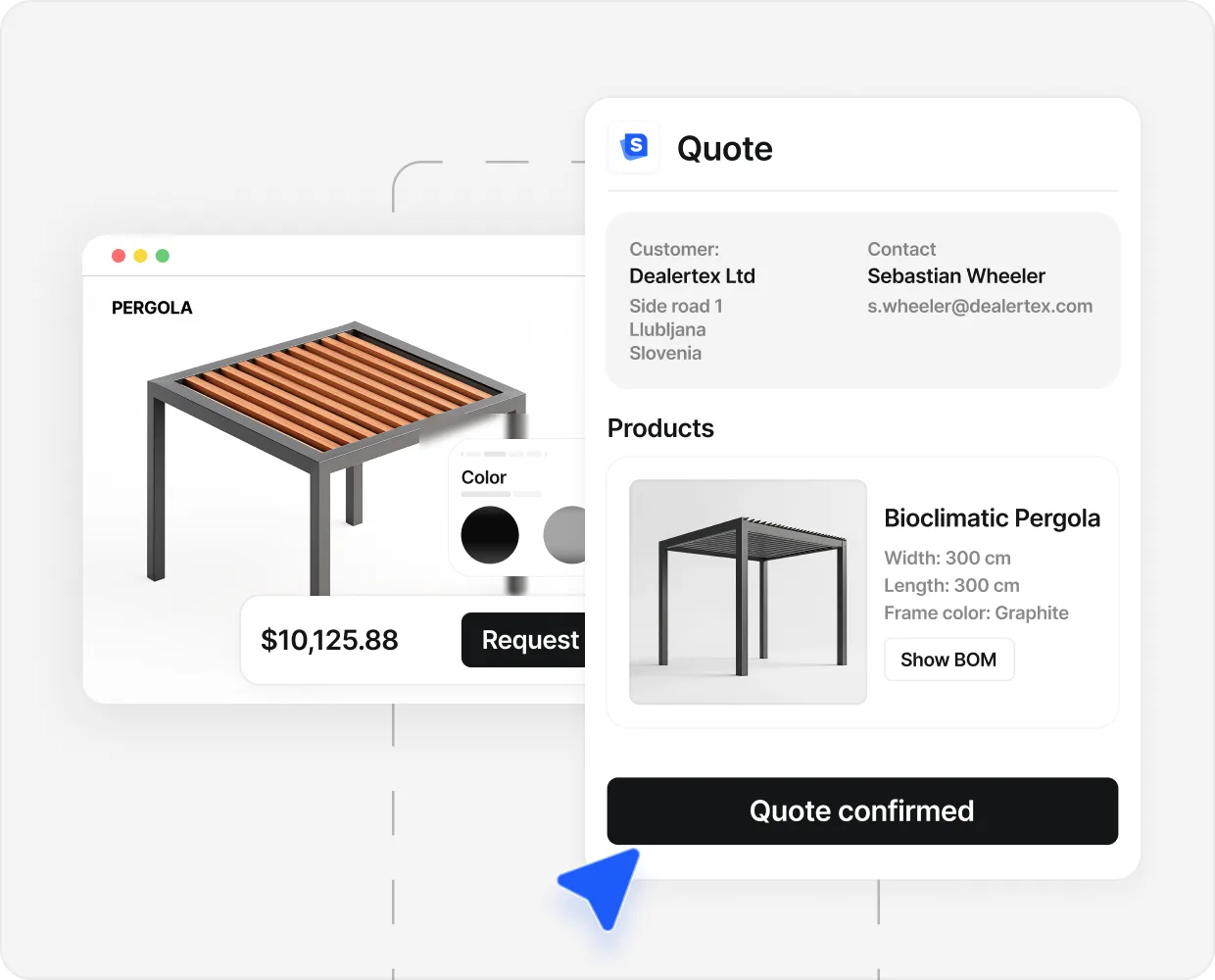
Send a designed PDF to the buyer’s inbox. A serious pergola purchase generates a PDF. The PDF carries the dealer’s logo, the configured spec line by line, the price, the install timeline, and a place for both parties to sign. That PDF is the document the homeowner forwards to their partner, prints, shows the in-laws, and refers back to in week three when the project shifts from research to commitment. A free tool emails the homeowner a screenshot at best. No designed document. No spec list. No price line. The homeowner is left with a hobbyist render, which is the wrong shape for the buying decision.
Fire an analytics event into the seller’s tracking stack. When the homeowner finishes the free-tool sketch, no event lands in any seller’s Meta Pixel, Google Ads, GA4, or CRM. The seller does not know the homeowner spent ninety minutes designing a pergola with a louvred roof and motorised screens. The seller cannot retarget the homeowner with an ad showing exactly that pergola the next morning. The seller’s funnel does not know the homeowner exists. The free tool is, for the seller, an invisible buyer pool the size of the homeowner search volume for pergolas in that market. Which is large.
Populate a CRM lead. A real configurator on a seller’s site drops the configured spec into the seller’s pipeline the moment the buyer submits. The salesperson opens the inbox the next morning to a designed pergola, a price, and a phone number to call. A free tool drops nothing into any CRM, because there is no seller wired to any CRM. The homeowner who finished the sketch at midnight is not a lead the next morning. They are an empty chair on a research forum.
Run smoothly on a phone over 4G. Most free desktop tools punish a mobile user. SketchUp Free works in mobile browsers, awkwardly. Planner 5D has a mobile app with limited features. The homeowner sketching from the bus on Wednesday morning is fighting the tool more than designing in it. Most pergola buyers under the age of 55 start research on a phone. The free tools that work on desktop do not, in practice, work where the homeowner actually is.
The six absences above are the six jobs a real configurator does and a free tool does not. The technology to do them is not exotic. The reason the free tools do not do them is that they were never built for the buyer side of the transaction. They were built for the design side. Two different jobs.
Why outdoor living sellers should care#
The homeowner who spent two hours in SketchUp Free on a Tuesday night did not arrive on any dealer’s website. They were not a lead in any pipeline. They were not retargeted by anyone’s ad budget. They closed the laptop, and the project sat in the unresolved column for another fortnight. On Saturday morning, the spouse asked how the pergola research was going, and the answer was the same it had been the previous Saturday.
That homeowner is not a lost cause for the category; they are a lost cause for the seller who could not get in front of them at the right moment. The category will sell them a pergola eventually. It might be the local dealer who knocks on the door because the door-to-door rep happened to be working that street. It might be the IKEA-adjacent budget brand who has a thirty-day delivery quote. It might be the big-box garden centre’s stocked range that day, even though the homeowner originally wanted aluminium louvred. The serious aluminium louvred dealer 12 minutes away never finds out the homeowner was in market.
The number to keep in mind is simple. Industry pergola close rates sit at 5 to 8 percent. Outdoor living sellers running a pergola configurator on their site convert at 10 to 20 percent. The gap between those two numbers is not a function of better salespeople. It is a function of which buyers ever land on the seller’s site in the first place. The buyer who is in SketchUp Free at 11pm on Tuesday is not on anybody’s site. They are in a sketching tool that has no exit ramp toward a purchase.
The fix is not to compete with SketchUp on rendering. The fix is to give the homeowner a place to land that does the job the homeowner is actually trying to do. Show the pergola in 3D, against the seller’s real catalogue, with the real price, on the seller’s domain. The homeowner who spent two hours in SketchUp would have spent fifteen minutes in a real configurator and arrived at breakfast with the sentence they actually wanted to say.
- 508 Leads in 90 days Caribbean Blinds (UK pergolas); 40 percent of inquiries arrived as configured 3D quotes after the configurator went live, replacing the contact-form funnel.
- 40% Arrive pre-configured Caribbean Blinds (UK pergolas); the share of inquiries that land already designed in 3D, instead of going to a sketching tool and never arriving.
- 3 day to instant Quote turnaround Caribbean Blinds, Stuart Dantzic; the pre-configurator turnaround was three days, which is the same week the homeowner finishes their SketchUp sketch and goes quiet.
- 10–20% Configurator close rate Industry pergola close rate is 5 to 8 percent. Sellers running a configured buying flow on their site commonly run 10 to 20 percent on the buyers who reach it.
The full Caribbean Blinds story sits in the case study.
What the homeowner wants#
Read the searches the homeowner makes in the same session as “free pergola design software” and the underlying job becomes obvious. They also search “pergola installer near me”, “louvred pergola cost”, “aluminium pergola UK”, and “pergola finance options”. These are not the searches of a person designing a 3D model. They are the searches of a person buying a pergola.
What the homeowner actually wants, in order:
- A pergola from a real seller they can verify (case studies, reviews, a phone number that answers).
- Configured to their actual garden, with the actual dimensions, in the finish they want.
- A real price, in their currency, for installation in their region.
- A designed PDF in the inbox, with the spec and the price and the install timeline.
- A contractor at the end of the process, with a date for the measure-up visit.
None of those five appear in a free design tool. All five appear in a working seller-side configurator. The category is not free design software versus paid design software. The category is design software versus buying software. The homeowner who started in the first category will end up in the second, eventually, either with the dealer who put the configurator in front of them at the right moment or with the dealer who happened to send the next mailer.
The honest test for any pergola design tool#
If you are a homeowner deciding which tool to spend the evening in, four questions tell you which one is which. If you are a seller deciding which tool to put on your own site, the same four questions tell you what to test on the demo.
- 01
Does it price?
Open the tool. Configure a 4 by 5 metre louvred pergola in anthracite with motorised side screens. Look for a number. If the number is missing, generic, or hidden behind a contact form, the tool is a sketchpad. If the number updates as the configuration changes, against a seller's real catalogue, the tool is a buying tool. There is no third category.
- 02
Does it produce a designed PDF?
Finish the configuration and ask the tool to send you the result. The result should be a PDF that looks like a brochure, carries the seller's logo, lists the configured spec line by line, shows the price, and arrives in the inbox within seconds. If the output is a screenshot, a thank-you message, or nothing at all, the tool was not built to start a purchase. The PDF is the artefact the homeowner forwards to their partner, prints, refers back to. Without it, the project sits in the unresolved column.
- 03
Does it send a real lead to a real seller?
Configure the pergola, submit, and watch what happens next. A real configurator drops the configured spec into a real seller's pipeline within seconds, and the homeowner gets a reply from a named salesperson within the working day. A sketchpad sends nothing to anyone. If the next thing that happens is silence (or a generic newsletter), the tool was not connected to the buying side at all.
- 04
Does it run on a phone on 4G?
Most pergola research happens on a phone. Open the tool on a 4G connection, on the small screen, sitting on the sofa. If the 3D model takes ten seconds to load, stutters when the homeowner rotates the camera, or fails to render the price band on a 360-pixel-wide column, the tool was built for desktop and the buyer has already left. Mobile performance is the half of the test the marketing copy never mentions.
The four questions above are roughly the inverse of what makes a free design tool useful for mood-boarding. A free tool wins on questions that are not on the list: rendering quality on a high-end laptop, freedom to customise without commercial constraints, plugin library, learning curve. Those are valid criteria for a different job. They are not the criteria of the homeowner who has decided to spend twelve thousand euros on a pergola.
Where to send a buyer who arrives with a free-tool sketch#
If you are an outdoor living seller and a prospect emails you a SketchUp PNG of a pergola, the worst response is the one most sellers give: “we cannot build that, can you call us to discuss”. The prospect has just spent ninety minutes proving they are a serious buyer. They have done the qualifying work most form-fillers refuse to do. Treat the sketch as the lead-quality signal it is.
The right response, the one that closes, is the inverse: take the sketch, configure the equivalent pergola in your own configurator gallery against your real catalogue, attach a real price, and reply with the designed PDF the same day. The homeowner ends the exchange with a pergola they can actually buy from you, at a real price, by Friday. Their three weeks in the free tool become three days in your funnel.
The other thing to do, if your site does not have a configurator yet, is to make the next call on what the homeowner sees when they land on your homepage. A contact form is the worst possible answer to a buyer who has just spent an evening sketching. A “request a quote” button is barely better. A real configurator, against the products you actually sell, with real prices, is the answer the homeowner was looking for in the free tool and could not find.
If you want the longer breakdown of what that configurator should actually do, the pergola configurator guide walks through the four jobs the tool has to handle and the eight checks to run on any vendor demo.
The line to take home#
Free pergola design software is a real category serving a real audience: the homeowner in early mood-boarding, the hobbyist modeller, the architect on a paid plan. None of those are the homeowner who is ready to buy a pergola this quarter. The buyer-ready homeowner who lands in a free tool by accident loses three weeks of calendar time. The seller who let them land there loses the deal.
The fix is not to argue with SketchUp. It is to put a buying tool on the seller’s site that answers the four questions the free tools cannot: does it price, does it produce a PDF, does it send a real lead, does it run on a phone. Where the answer to all four is yes, the homeowner stops sketching and starts buying. Where the answer to any one is no, the calendar slips and the project sits in the unresolved column for another fortnight.
If you are weighing whether to put a configurator on your own site, the natural next read is the pergola configurator guide. It is the buyer-side companion to this post, and it is the answer to the homeowner who closed the SketchUp tab at 1am with nothing to show for the evening.
People also ask.
What is free pergola design software?
Free pergola design software is a category of online and downloadable tools that let a homeowner sketch a pergola in 2D or 3D without paying. The common entries are SketchUp Free, Google Drawings, IKEA Home Planner sections, ROOMVO room visualisers, Planner 5D, and a long tail of browser-based DIY drawing tools. They produce a picture of a pergola. They do not produce a buyable, priced product from a specific seller, with a real lead-time and a contractor at the end of it.
Can I get a real price out of free pergola design software?
No. The free tools render a shape. They do not connect to any specific seller's product range, do not know what a louvred aluminium roof actually costs in your region, do not apply your local installation modifiers, and do not produce a quote a contractor can act on. The price you see in a free tool is either zero, a generic placeholder, or a rough materials estimate that excludes labour, install, permits, and the seller's margin. It is not a quote.
Will a free pergola design tool send my sketch to a contractor?
Usually not. A free design tool exports a PNG or a PDF the homeowner has to email to a contractor themselves, who then has to translate the sketch into a real configuration in their own quoting tool. The handoff is manual on both sides. Most homeowners never make it. They finish the sketch, save it to a folder, and the project goes quiet.
What is the difference between a free design tool and a pergola configurator?
A free design tool is a sketchpad: the homeowner draws a shape with no seller, no real prices, and no path to purchase. A pergola configurator is the seller's tool: the buyer designs a pergola the seller actually makes, against the seller's real catalogue, with real prices, real lead-times, and a real PDF that lands in both the buyer's and the seller's inbox. The sketchpad answers what could be. The configurator answers what can I buy, from whom, for how much.
Why do homeowners use free tools anyway?
Because the alternative most outdoor living sellers offer is worse. The seller's website has a contact form, a brochure PDF, and a phone number that goes to voicemail on a Sunday evening. A free design tool, however limited, at least lets the homeowner think out loud about size and roof type before they have to talk to a person. The fix is not to ban the free tools. It is to give the buyer somewhere better to land that includes a price and an answer in the same sitting.
Are free pergola design tools good for any job at all?
Yes, two jobs. First, early-stage mood-boarding: the homeowner who has not decided whether they want a pergola, a gazebo, or a covered patio can sketch all three and pick. Second, professional architectural work: a landscape architect or designer using SketchUp Pro can render a buildable plan as part of a paid project. Neither job is the same as a homeowner who has decided they want a pergola and is ready to buy, which is the buyer the seller actually wants on their site.
Does this matter for the homeowner or just for the seller?
Both, in different ways. For the homeowner, the cost of a free tool is three hours of fiddling, no answer at the end, and another week of indecision before they even start the buying process. For the seller, the cost is the buyer they never hear from. The homeowner who spent the evening sketching in SketchUp Free instead of arriving on the seller's configured product page is a closed-conversation, not a closed-deal.
What should a seller do if their prospects keep arriving with free-tool sketches?
Treat the sketch as a serious-buyer signal, not a nuisance. Anyone who spent two hours building a 3D model of a pergola in SketchUp has done the qualifying work most prospects refuse to do. Reply with a configured version of their sketch in the seller's catalogue, a real price, and a designed PDF. The follow-up that converts is the one that meets the homeowner where they are, which is past the I want a pergola stage and into the I want this pergola stage.