
STEP 3: 3D CONFIGURATOR
Let customers design their dream product in 3D
Learn how to use 3D configurators to engage buyers and filter out tire-kickers.
Why you need a 3D configurator
Your contact form is giving you garbage leads.
People fill it out with messages like:
- “I want more info”
- “What does this cost?”
- “Send me a brochure”
They have no idea what they want. They don’t know what’s possible. They don’t know what it costs. They message the same thing to ten different companies.
Then you spend hours:
- Explaining what options you offer
- Creating custom quotes for people who never reply
- Chasing people who ghost you
- Following up with tire-kickers who were never serious
Your close rate? Maybe 2-5%.
The problem is simple: People can’t visualize what they’re buying. They don’t understand your product. They don’t know what options you offer.
So they ask basic questions. Over and over. To every company they find.
Mathew from Spolding & Sons had this exact problem:
“A lot of customers struggle to visualize things. So that in itself is great because obviously customers can see what they’re buying before they’re even visiting the show site.”
A 3D configurator solves this problem completely.
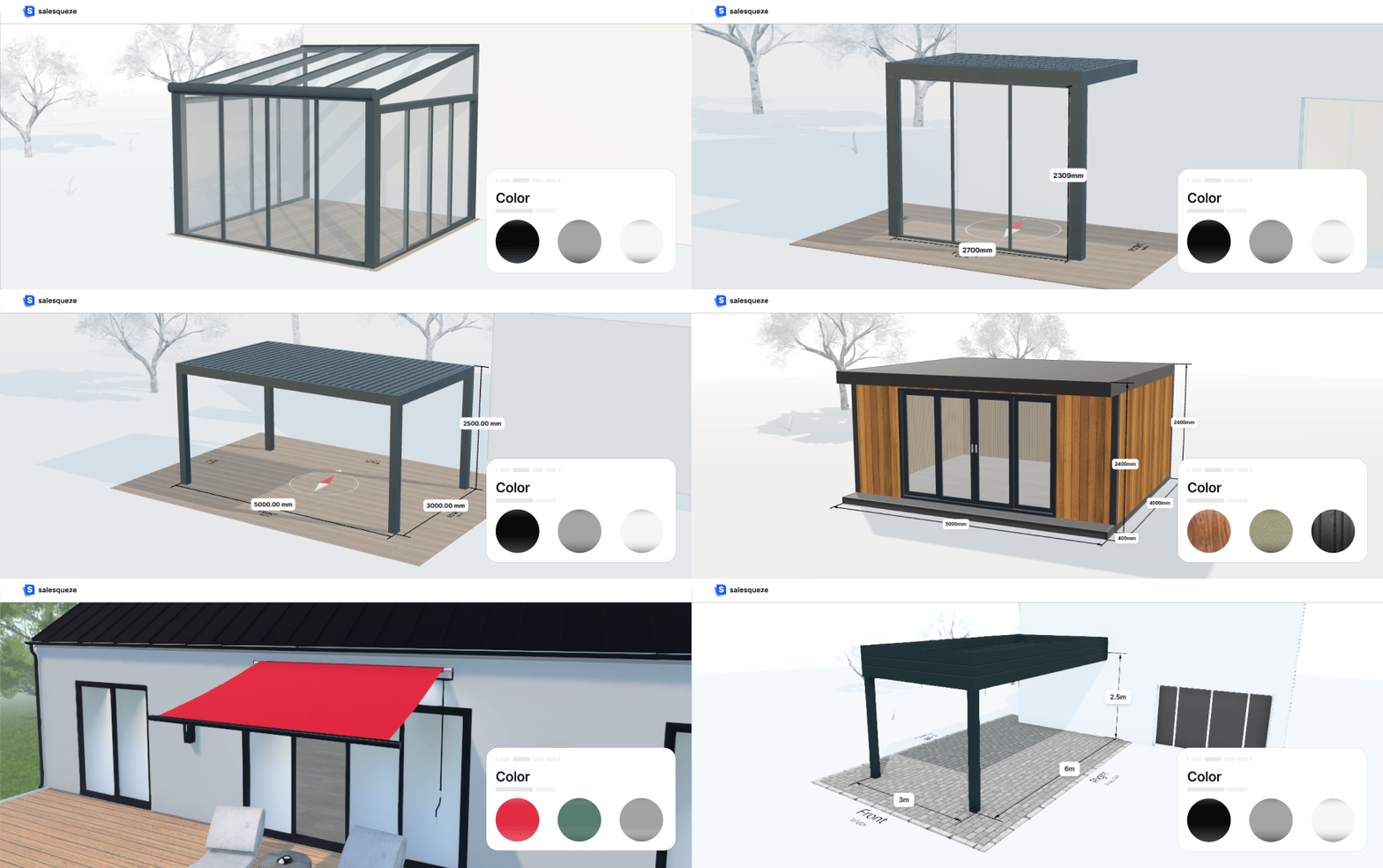
Premade 3D configurators for outdoor living products
We use premade 3D configurators and fully customize them to your brand, pricing, and product options, so you can go live in 7 days, not months.
What makes a 3D configurator work
A 3D configurator does something your contact form can never do.
It lets people design their own product. See it in 3D. Play with all the options. Get a price estimate. All by themselves. In a few minutes.
Here’s what happens when someone uses the configurator:
They’re not looking at static photos anymore. They’re actually designing their own garden room, pergola, or awning. They can see it from different angles. They can zoom in. They can walk around it virtually.
When they see it, they can imagine it in their own space.
They spend 2-10 minutes playing with all the options you offer. Different sizes. Different colors. Different add-ons.
By the time they finish, they know your product inside and out. They know exactly what they want.
No waiting. No back and forth. They see the price right away.
If it’s out of their budget, they know immediately. You didn’t waste time creating a quote for someone who could never afford it.
If it’s in their budget, they’re ready to talk. They know what they want and what it costs.
Think about it. Someone who spent 5-10 minutes designing their dream product is a lot more serious than someone who filled out a contact form saying “send me more info.”
They invested time. They designed something. They saw the price. They’re still here.
That’s a qualified lead.
Stuart from Caribbean Blinds explains it perfectly:
“When the lead comes through, it’s already jumped to sales stage. We go from marketing-qualified straight to sales-qualified because they have the pricing. We’re not wasting time giving them an estimate and following up. We’re focusing on the ones that are actually genuinely interested.”
The configurator effect
We call this the “configurator effect.”
Leads that come through the configurator are completely different from leads that come through your contact form.
Contact form leads:
Have no idea what they want
Don’t know what’s possible
Haven’t seen a price
Message 5-10 companies with the same question
Close rate: 2 – 5%
Configurator leads:
Designed their own product
Know exactly what they want
Saw the price estimate
Spent 5-10 minutes engaged with your product
Close rate: 10 % +
Mathew explains what changed for them:
“The fact that somebody spends time to look at the front, the sides, apply different claddings to all the different orientations shows they’re obviously really, really interested. When we’re speaking to them, they have a good idea of what they want. It’s more just about firming things up.”
How the configurator filters out tire-kickers
Before people can use the configurator, you ask them for their contact information.
Just three things: name, email, phone number.
This acts as a filter.
Here’s why this is important:
Filter 1: Willingness to share contact info
If someone won’t give you their email address to use a free design tool, they’re definitely not going to buy a £20,000 garden room.
You just saved yourself time.
Filter 2: Their info passes through automatically
When they finish designing and want to request a quote, their name and email are already filled in. No double entry.
This makes the next step easier and increases conversion by about two times.
Filter 3: You capture the lead even if they don’t finish
If someone starts designing but doesn’t request a quote, you still have their contact information. You can follow up with them later.
Stuart explains the efficiency:
“In terms of time management in the office, it means we get through the inquiries fast, but we’re dealing with the inquiries that need our attention rather than dealing with every inquiry of which a number are not relevant because they’re not our customer.”
Try SaleSqueze
Experience 3D configurators and receive a sample PDF in your email, just like your customers would.
Check out the results people are getting with 3D configurators










Next step
Once they submit their configuration and request a quote, what happens next?
Step 4: Automated Quotes
That’s where you send them a professional quote in seconds while your competitors take days.
We’ll cover that in the next lesson.
Want us to build the 6-step visual sales system for you?
We build everything. You just close deals.
We guarantee €50K in sales in 90 days. Or we work for free until we achieve this goal.
We only work with 5 businesses per month.